Struggling to remember your Wordlock bike lock combination? You’re not alone.
Resetting your Wordlock bike lock might seem tricky at first, but with the right steps, you can quickly set a new code and secure your bike again. Whether you’ve forgotten your current combination or just want to update it for extra security, this simple guide walks you through the process clearly and easily.
Keep reading, and you’ll have your Wordlock reset in no time—no frustration, no guesswork. Let’s get your bike locked up safely again!

Credit: www.reddit.com
Default Wordlock Code
The Default Wordlock Code is the starting point for using your Wordlock bike lock. It is the original combination set by the factory. This code helps you open the lock before setting your own custom word. Knowing the default code is essential if you want to reset or change the lock’s combination.
Most Wordlock bike locks come with a simple, easy-to-remember default word. Using this default code lets you access the lock quickly and safely. It also allows you to reset the combination if you forget your custom code.
Common Factory Setting
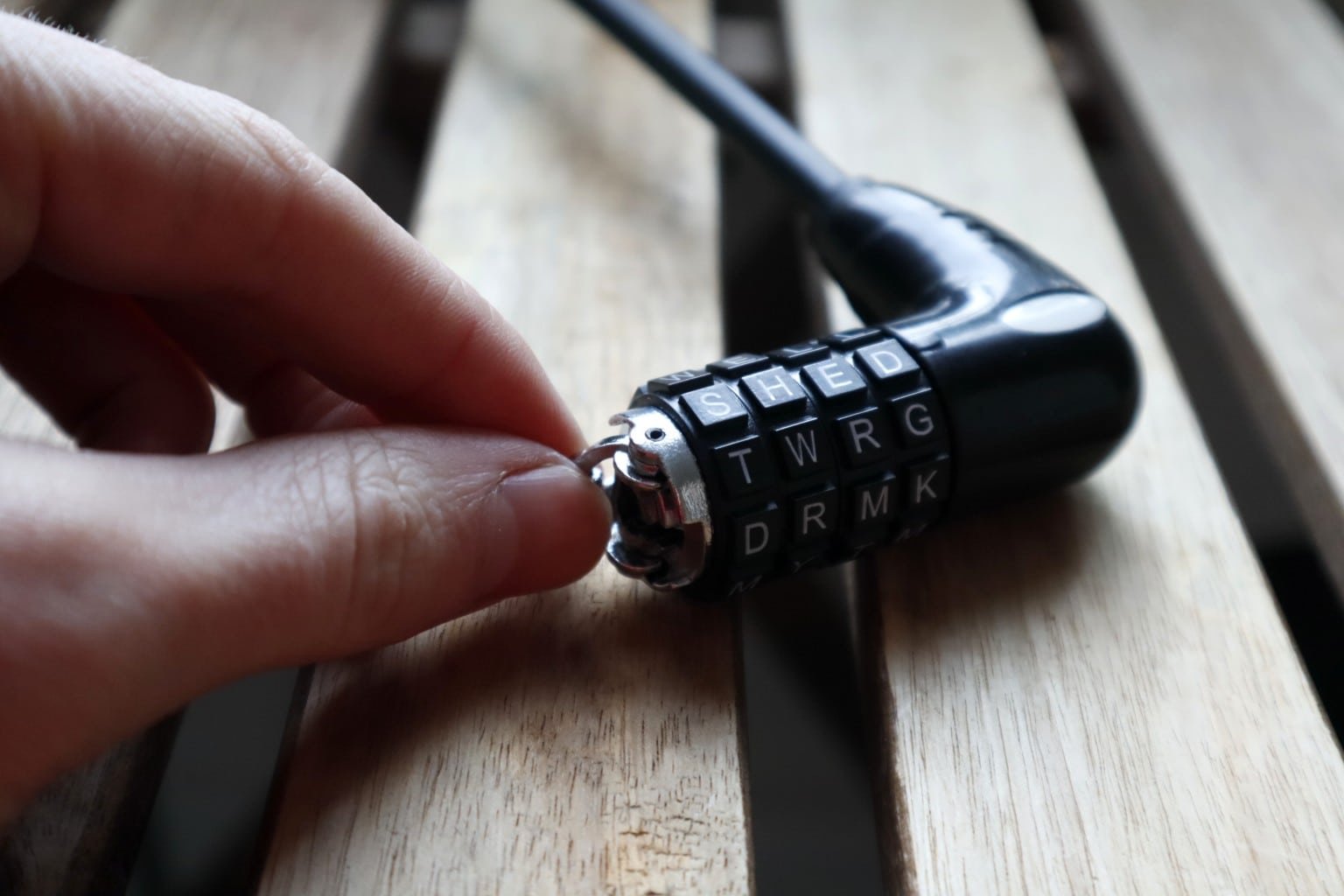
The most common factory setting for Wordlock bike locks is the word “shed”. This four-letter word is pre-set on the lock’s dials at the time of purchase. Align the dials to spell shed to open the lock.
Some models may have different default words, but shed is the standard for many Wordlock products. Check your lock’s manual to confirm the default code if it does not open with shed.
How To Use Default Code
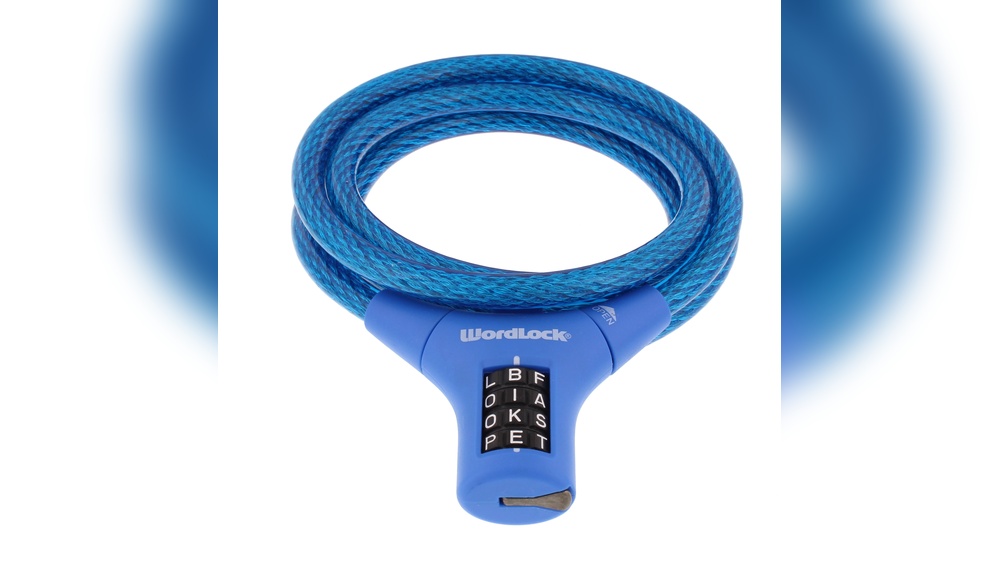
To use the default code, rotate the lock’s dials until you see the word shed aligned with the indicator line. Make sure each letter is centered properly. Then, pull the shackle to open the lock.
Once open, you can reset the combination to your preferred word. Remember to write down your new code in a safe place. Using the default code is the first step to managing your Wordlock bike lock safely.
Opening The Lock
Opening your Wordlock bike lock is the first step in resetting its combination. Knowing how to open the lock safely allows you to change the code easily. This section explains two simple ways to open the lock. One uses the current combination. The other helps if you forgot the code.
Using Current Combination
Start by setting the dials to your current combination. Align the letters carefully with the indicator line. Once the correct code is set, pull the shackle up gently. The lock should open without force. If it does not open, double-check the letters. Make sure each dial matches the code exactly. After opening, you can reset the combination if needed.
What To Do If You Forgot The Code
Forgot your Wordlock code? Use the default factory code if you never changed it. The default word is usually “shed”. Set the dials to spell “shed” and try opening the lock. If this does not work, try to remember any words you might have used. If none help, you may need professional help or contact the manufacturer. Avoid forcing the lock open to prevent damage. Keep your new code written down safely after resetting.
Locating The Reset Mechanism
Finding the reset mechanism on your Wordlock bike lock is the first step to changing your code. This part allows you to set a new combination. The reset mechanism is usually small and may blend with the lock body. Knowing its location makes resetting easier and quicker. Take your time to spot it clearly before starting the reset process.
Reset Button Or Dial Placement
The reset button or dial is often on the side or bottom of the lock. On some models, it is a tiny hole requiring a tool to press. Other locks have a small dial you turn to enter reset mode. Check near the shackle or the back of the lock for these features. Each Wordlock design may vary slightly, so look carefully for these small parts.
Tools Needed For Reset
Most Wordlock bike locks do not need special tools. Sometimes, a small pin or paperclip works to press the reset button inside the hole. If your lock has a dial reset, no tools are required. Just turn the dial to the correct position as explained in the instructions. Keep a simple tool handy in case your lock needs it for the reset step.
Changing The Combination
Changing the combination on your Wordlock bike lock keeps your bike secure. It allows you to set a new code that only you know. Follow the simple steps carefully to avoid locking yourself out.
Entering Reset Mode
Start by opening the lock with your current code. Hold the shackle down firmly. Look for a small reset button or hole on the side of the lock. Insert the reset tool or a small pin into the hole. Press and hold the tool to enter reset mode. Keep the shackle pressed down during this step.
Setting Your New Code
While still holding the shackle and reset tool, turn the dials to your desired new code. Make sure the letters or numbers line up exactly with the indicator mark. Choose a combination easy to remember but hard for others to guess. Double-check the new code before moving on.
Exiting Reset Mode
Release the reset tool carefully. Let go of the shackle and lift it back to the locked position. Scramble the dials to mix up the code. Test your new combination by opening the lock. Write down your new code and keep it somewhere safe for future use.
Testing The New Combination
After resetting your Wordlock bike lock, testing the new combination is vital. It ensures your lock works correctly and keeps your bike safe. Follow these simple steps to confirm your new code functions as expected.
Scrambling The Dials
Start by turning the dials to mix up the letters. This step locks the mechanism again. Make sure the letters are not in the new combination order. Scrambling the dials prevents accidental unlocking.
Verifying Lock Opens
Next, enter the new combination carefully. Align each dial with the correct letter in your chosen word. Pull the shackle to see if the lock opens smoothly. If it does not open, recheck the combination and try again. Repeat this step a few times to confirm reliability.
Tips For Managing Your Combination
Managing your Wordlock bike lock combination carefully helps keep your bike safe. Changing the code is easy, but remembering it is key. Use simple habits to avoid losing or forgetting your new code. These tips make your lock both secure and easy to use.
Recording The New Code Safely
Write down your new combination right after resetting it. Keep this note somewhere private, like a wallet or a locked drawer. Avoid storing the code on your phone or online where it can be hacked. Using paper keeps your code safe from digital threats. If you lose the note, you might not open your lock again.
Choosing A Memorable Word
Pick a word that is easy for you to remember. Use simple, common words that make sense to you. Avoid words that others can guess easily, like your name or “bike.” Try a favorite color, pet’s name, or a short word from a hobby. This helps you recall the code quickly and keeps your bike secure.
Troubleshooting Reset Issues
Resetting your Wordlock bike lock should be straightforward. Sometimes, the reset mechanism may not work as expected. Troubleshooting these issues helps avoid frustration and ensures your lock stays secure. Follow the tips below to solve common problems and know when to seek help or replacement.
When Reset Mechanism Doesn’t Work
First, check that the lock is fully open before resetting. The shackle must be pressed down firmly to engage the reset mode. If it feels stuck, try pressing it several times while turning the dials. Dirt or debris inside the lock can block the mechanism. Clean the lock gently with compressed air or a soft brush.
Make sure you use the reset tool or pin correctly, if your model requires one. Turning the dials too fast or forcefully may cause the lock to jam. Align each letter carefully with the indicator line before releasing the shackle. If the lock still won’t reset, the internal parts may be damaged or worn out.
Getting Help And Replacement Options
Contact Wordlock customer support for guidance if problems persist. Provide your lock model and a detailed description of the issue. They can offer troubleshooting advice or confirm if the lock needs repair.
If your lock is under warranty, you may qualify for a free replacement. Keep your purchase receipt and warranty information handy. Some retailers also offer return or exchange services for faulty locks. Avoid forcing the lock open, as this can cause permanent damage.

Credit: www.reddit.com
Credit: www.bikelockwiki.com
Frequently Asked Questions
What Is The Default Password For Wordlock?
The default password for WordLock is “shed. ” Align the four dials to spell “shed” to open the lock. Change the combination after unlocking for security.
How Do I Reset A Combination Lock If I Forgot The Code?
To reset a combination lock without the code, try the default code or contact the manufacturer. Otherwise, use a reset tool if available. Record the new combination safely.
How To Reset Master Wordlock?
To reset a Master Wordlock, open it with the current combination. Hold the shackle down. Turn the dials to your new word. Release the shackle and close the lock. Scramble the dials and test the new combination. Record the new code safely.
How Do I Reset My Bike Lock Code?
Use the current code to open the lock. Locate the reset button or dial. Hold or turn it to “set” mode. Choose your new code. Release the reset mechanism. Close the lock and scramble dials. Test the new combination. Store the code safely.
Conclusion
Resetting your Wordlock bike lock is simple and quick. Always start by opening the lock with the current code or the default word “shed. ” Press and hold the shackle down firmly while you set your new combination on the dials.
Release the shackle to lock your new code in place. Remember to test the lock several times to confirm it works smoothly. Write down your new combination and keep it somewhere safe to avoid future troubles. Following these clear steps helps protect your bike without stress or confusion.