
Struggling to reset your Wordlock bike lock with letters? You’re not alone.
Whether you forgot your current combination or just want to change it to something easier to remember, resetting your Wordlock can seem tricky at first. But don’t worry—this guide will walk you through every simple step to reset your lock quickly and confidently.
By the end, you’ll have your bike lock secured with a new, personalized word combo that only you know. Ready to take control of your lock and never worry about forgotten codes again? Let’s dive in!
Default Code And Lock Features
The default code and features of a Wordlock bike lock make it simple to use and reset. Each lock comes preset with a factory combination. Knowing this default code is essential for first-time use or if you forget your personalized code. The design of the lock also supports easy resetting, which helps you create a new, memorable word combination.
Understanding the lock’s features can save time and avoid frustration. The combination uses letters instead of numbers, making it easier to remember words rather than random digits. The reset mechanism is straightforward, allowing users to set a new code without special tools.
Default Combination Word
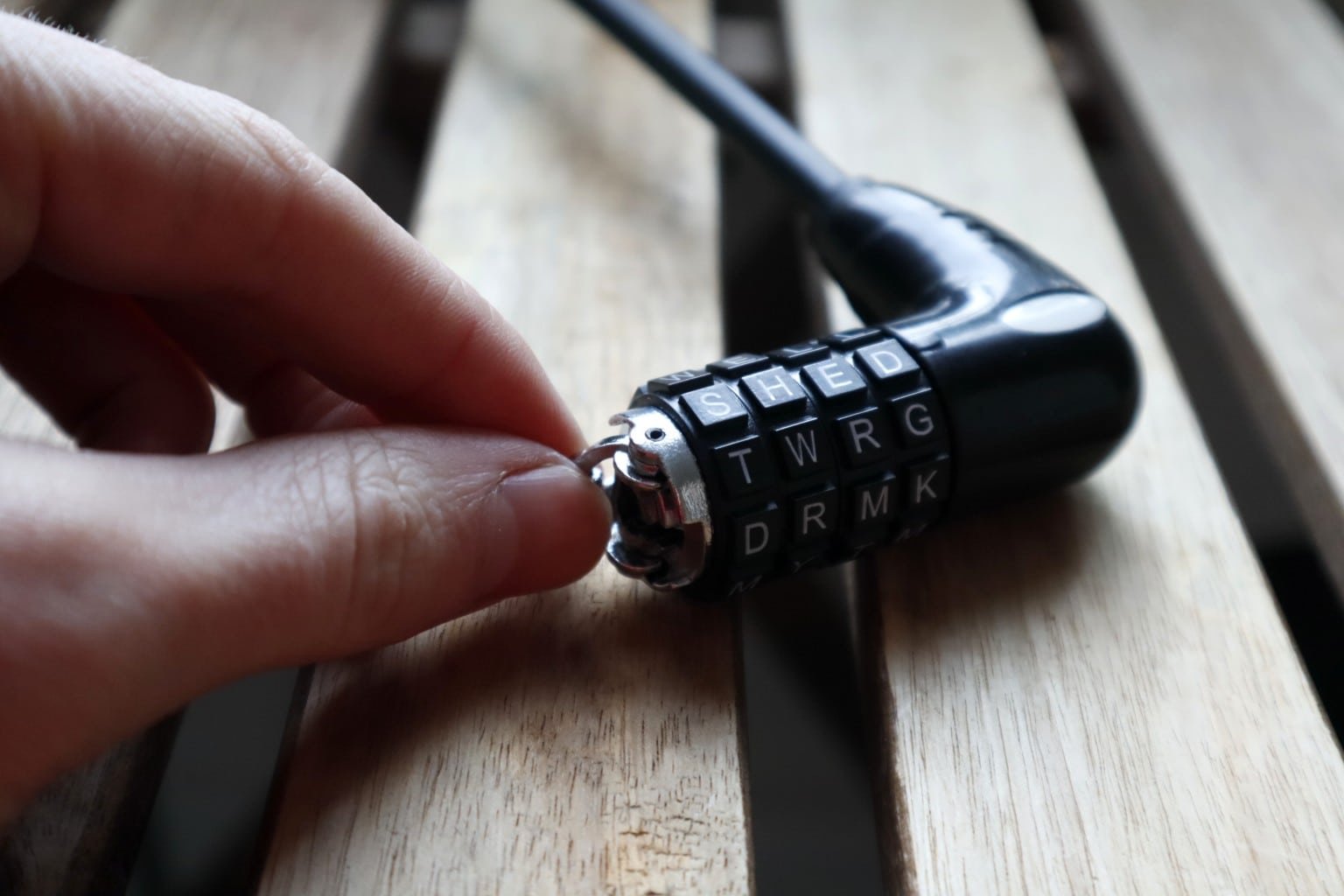
The default code for most Wordlock bike locks is SHED. This is the preset word that allows you to open the lock right out of the box. Try entering SHED if you do not know your current code. This word is easy to remember and serves as a good starting point.
If the lock opens with the default code, you can then change it to a word you prefer. Using a common word helps in case you forget your new code. Always check the default word first before attempting more complex resets.
Lock Design And Reset Mechanism
The Wordlock bike lock features a simple dial system with letters. Each dial rotates to select a letter, spelling out the combination word. This design is user-friendly and helps avoid confusion with numbers.
To reset the lock, open it with the current code. Locate the reset button or slot on the lock body. Slide or press the reset button to the set position. Turn the dials to your new word combination. Return the reset button to its original position to save your new code.
This reset mechanism is secure yet easy to operate. It allows you to customize your lock quickly without needing extra tools or keys. Always test the new code a few times before locking your bike.
Preparing To Reset Your Lock
Before resetting your Wordlock bike lock, some preparation is necessary. This ensures the reset process goes smoothly without damage or confusion. Start by confirming you have the current code. Without it, you cannot open the lock to begin resetting.
Next, locate the reset button or slot on your lock. This part allows you to change the combination to a new word. Knowing its exact position saves time and frustration.
Opening The Lock With Current Code
Turn the dials to the current code word. Apply gentle pressure to open the lock. If the lock does not open, double-check each letter carefully. Avoid forcing the lock as this may cause damage.
The default code is often “SHED” if you never changed it. Try this word first to open your lock. If you remember your custom code, use that instead.
Locating The Reset Button Or Slot
Inspect the lock body closely. The reset button is usually small and recessed to prevent accidental changes. It might be on the side or back of the lock.
Some models have a reset slot where you insert a small tool or pin. Others have a switch to move to the “set” or “arrow” position. Knowing your lock model helps find this part quickly.
Step-by-step Reset Process
Resetting your Wordlock bike lock with letters is simple. Follow the steps carefully to set a new combination. This process ensures your lock stays secure and easy to remember. Let’s break down the reset process into three clear actions.
Engaging The Reset Mode
First, open the lock using the current combination. Locate the reset button or lever on the lock body. Slide or push this reset button into the “set” or “arrow” position. This action puts the lock into reset mode. Keep the reset button in this position while you set your new code.
Choosing A New Letter Combination
Turn the letter dials to select your new word. Use letters that are easy for you to remember. Make sure the word fits the number of dials on your lock. Avoid common words that others might guess. Take your time to pick a strong, memorable combination.
Locking In The New Code
Once you choose the new combination, move the reset button back to its original place. This locks in your new letter code. Test the new combination by closing and opening the lock. Confirm that the lock opens only with your new word. Your Wordlock is now ready to use with your fresh code.
Credit: www.bikelockwiki.com
Tips For Choosing A New Combination
Choosing a new combination for your Wordlock bike lock is important. The right code keeps your bike safe and makes it easy to remember. Use these tips to create a strong and memorable combination.
Pick a combination that you can recall quickly. Avoid codes that others can guess easily. Balance security with simplicity for the best results.
Selecting Memorable Words
Choose words that mean something to you. Use names, places, or simple words you see often. This helps you remember the code without writing it down. Short words with four to six letters work best for Wordlock bike locks.
Try combining two simple words to make a new one. This can create a unique and easy-to-remember code. Practice turning the dials to the word before locking it. Make sure you can enter it smoothly every time.
Avoiding Common Or Easy-to-guess Codes
Do not use simple words like “bike” or “lock.” Avoid common words such as “love,” “bike,” or “open.” These are the first words thieves may try. Do not use your name, birthday, or address.
Stay away from repeating letters or patterns like “aaaa” or “abcd.” These combinations are weak and easy to guess. Use random letters or less common words. This makes your lock safer from unwanted access.
Troubleshooting Reset Issues
Resetting a Wordlock bike lock with letters usually works smoothly. Sometimes, problems arise during the reset process. Troubleshooting these issues quickly helps avoid frustration. This section covers common reset problems and simple solutions. Follow these tips to get your lock working again.
What To Do If The Lock Won’t Open
Check that the dials show the exact current combination. Slight misalignment can block the lock. Turn each letter slowly and carefully. Try pressing or pulling the shackle while turning the dials.
Use the default code “SHED” if you lost your combination. It often opens new locks. If it still won’t open, try gently tapping the lock body to loosen the mechanism. Avoid forcing the lock; it may cause damage.
Inspect for dirt or rust that can jam the lock. Clean the lock with a soft brush and spray a small amount of lubricant. Test the lock again after cleaning. If problems continue, the lock may be defective or broken.
Reset Button Not Responding
Locate the reset button or lever carefully. It is usually on the side or bottom of the lock. Use a small tool or your fingernail to press it firmly. Sometimes the button sticks if not pressed fully.
Try pressing and holding the reset button while turning the dials. This action can activate the reset mode. If the button remains unresponsive, check for dirt or debris around it. Clean gently and try again.
Do not use excessive force on the reset button. Forcing it may damage the lock’s internal parts. If the button still won’t work, the lock could be faulty. Contact the manufacturer for advice or consider replacing the lock.
Credit: www.youtube.com
Maintaining Your Wordlock Bike Lock
Maintaining your Wordlock bike lock ensures it stays reliable and easy to use. Proper care helps prevent issues with the combination and lock mechanism. Small efforts keep your lock working smoothly for years.
Regular checks and smart storage protect your lock from damage and loss. Follow these simple tips to keep your Wordlock bike lock in top condition.
Regular Testing Of The Combination
Test your lock’s combination often. Turn the dials and open the lock to confirm it works. This practice helps you remember the code and spot problems early.
If the lock feels stiff or hard to open, clean and lubricate it. Avoid forcing the dials or shackle. Regular testing keeps the lock smooth and reliable.
Storing The Combination Safely
Write down your combination and store it in a safe place. Avoid keeping it on the lock or near your bike. This prevents losing or forgetting the code.
Consider using a password manager or a secure note app. Sharing the code with a trusted friend or family member can help if you forget it. Safe storage protects your lock and your bike.

Credit: www.youtube.com
Frequently Asked Questions
What Is The Default Password For Wordlock Bike Lock?
The default password for a Wordlock bike lock is “SHED. ” Use this word to open a brand new lock.
How To Reset Combination On Wordlock Lock?
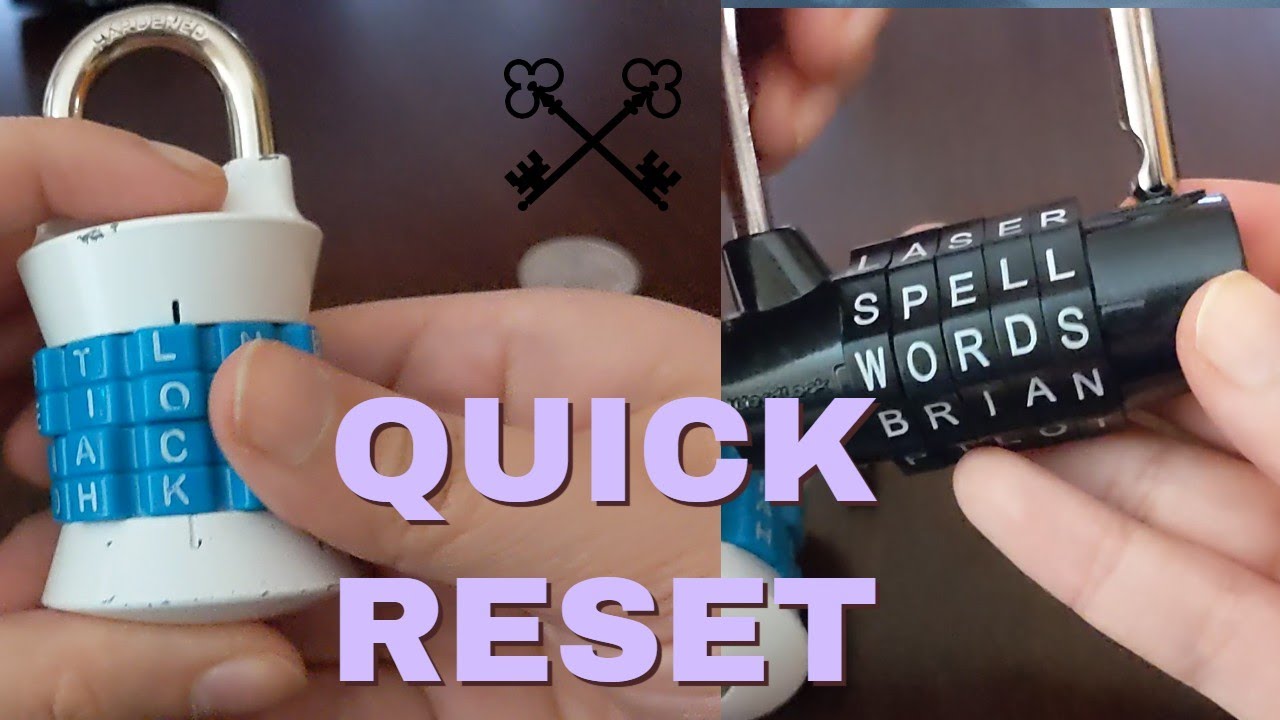
Open the lock with the current combination. Slide the reset button to the set position. Choose your new combination on the dials. Slide the reset button back to lock in the new code. Test the new combination to ensure it works.
How To Reset Master Lock Bike Lock With Letters?
Open the lock using the current combination. Slide the reset button to the set position. Choose your new letter combination. Slide the reset button back to lock the new code. Turn the knob counterclockwise to finalize. Scramble the dials to secure the lock.
How To Reset Master Lock Letter Combination?
To reset a Master Lock letter combination, open the lock using the current code. Lift the shackle, turn the dials to your new combination, then close the shackle. Scramble the letters to lock. Your new code is now set.
Conclusion
Resetting your Wordlock bike lock with letters is simple and quick. Start by using the default code or your current combination. Find the reset button and set it to the correct position. Choose a new word that is easy to remember but hard for others to guess.
Turn the reset button back to lock in your new code. Practice the new combination a few times to ensure it works smoothly. Following these steps helps keep your bike secure without confusion. Keep your code safe and enjoy hassle-free bike security every time.


