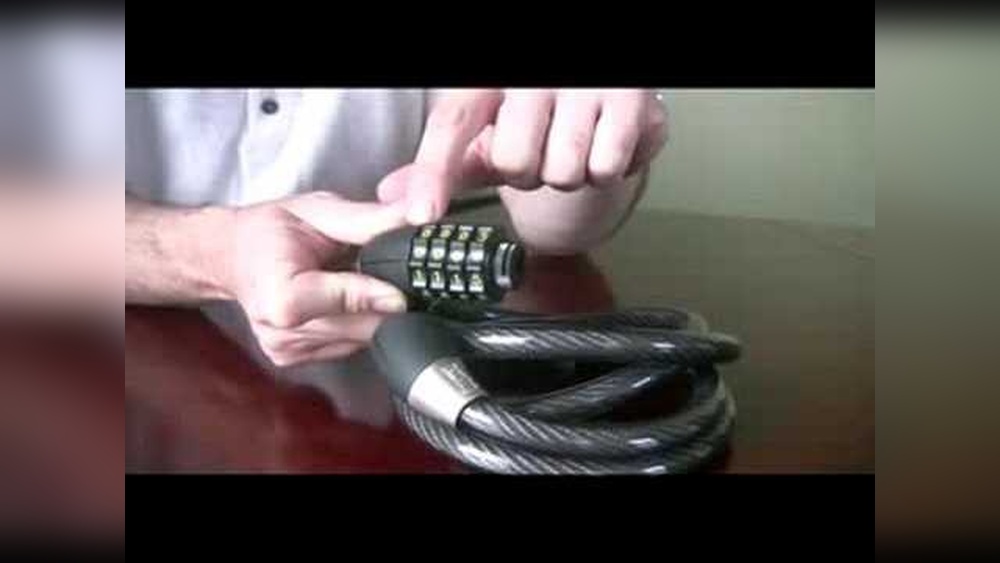
If you own an Onguard bike lock, knowing how to change its combination is key to keeping your bike safe and secure. Maybe you want to create a code that’s easier for you to remember, or perhaps you’re concerned someone else knows your current combination.
Whatever the reason, changing your lock’s code is simpler than you think. In this guide, you’ll discover clear, step-by-step instructions to update your Onguard bike lock combination quickly and confidently. Keep reading to take full control of your bike’s security today.

Credit: www.youtube.com
Onguard Lock Types
Onguard offers several types of bike locks. Each type has a different way to set or change the combination. Knowing your lock type helps you change the code easily. Here are the main Onguard lock types.
Dial Combination Locks
Dial combination locks use a rotating dial. You turn the dial to select numbers. Changing the combination needs a special reset tool or button. Usually, you must open the lock first. Then, follow the reset steps inside the lock. Dial locks are simple but need patience to set the new code.
Cable Combination Locks
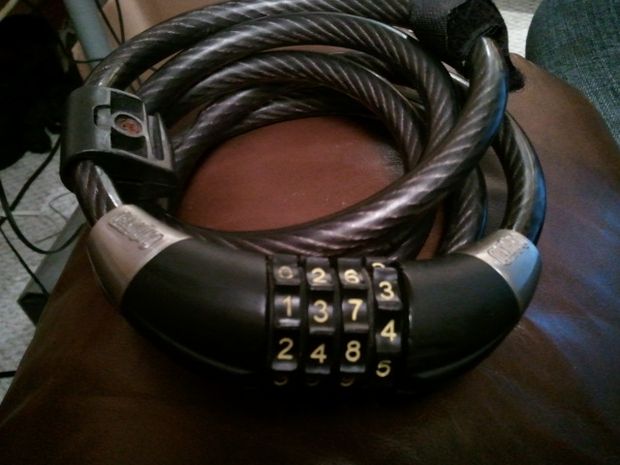
Cable combination locks use a flexible cable and number dials. Changing the code involves aligning the dials to the current combination. Press or hold a reset button or lever. Turn the dials to your new code. Release the button or lever to save it. Cable locks are light and easy to carry.
U-lock Combinations
U-locks are strong and shaped like a “U.” Most Onguard U-locks have a combination dial or number wheels. To change the combination, unlock the U-lock first. Find the reset lever or button near the shackle. Hold the reset and set your new code. Release the reset to lock in the code. U-locks give great security for your bike.
Tools Needed
Changing the combination on an Onguard bike lock requires a few simple tools. Having the right tools ready makes the process smooth and fast. These tools help you avoid damage to the lock and save time.
Gather all items before starting. This way, you won’t stop midway to find something.
Flathead Screwdriver
A flathead screwdriver is essential. It helps in pressing or turning the reset mechanism. Choose one with a slim tip to fit small spaces easily.
New Combination Code
Write down your new code before beginning. Keep it simple and easy to remember. Avoid common numbers like 000 or 123.
Small Flashlight
A small flashlight helps to see inside the lock. It is useful in low-light conditions or dark places. Clear visibility ensures you do not make mistakes.
Soft Cloth
Use a soft cloth to clean the lock surface. Remove dirt and dust before changing the combination. This keeps the lock parts smooth and functional.
Locate The Reset Mechanism
To change the combination on an Onguard bike lock, the first step is to locate the reset mechanism. This part allows you to set a new code safely. Finding the reset mechanism is simple once you know where to look. It is usually hidden to prevent accidental changes. Understanding its location helps you change your combination quickly and easily.
Finding The Reset Button
The reset button is often small and recessed. Check the side or bottom of the lock’s body. Use a small tool or pen tip to press it. Press and hold the button while setting your new combination. Releasing the button locks in the new code. Some models have a tiny hole instead of a button.
Using The Reset Lever
Some Onguard locks use a reset lever instead of a button. Look for a small switch or tab near the dials. Move the lever to the reset position. Keep it there while you enter your new combination. After setting the code, return the lever to its original place. This action saves your new combination securely.
Set Your Current Combination
Setting your current combination on an Onguard bike lock is the first step to changing it. This step confirms you know the existing code. Without the correct combination, you cannot reset your lock.
Follow these instructions carefully. This will help avoid any mistakes or lockouts.
Locate The Combination Dials
Find the dials on your Onguard lock. They are usually on the front or side. Make sure you can see all numbers clearly before starting.
Turn The Dials To Your Current Code
Rotate each dial to match your current combination. Align the numbers exactly with the marked line or indicator. Check that all numbers are correct before moving to the next step.
Confirm The Lock Opens
Pull the shackle or release lever to open the lock. If it does not open, recheck the numbers. The lock must open to proceed with changing the combination.
Change The Combination
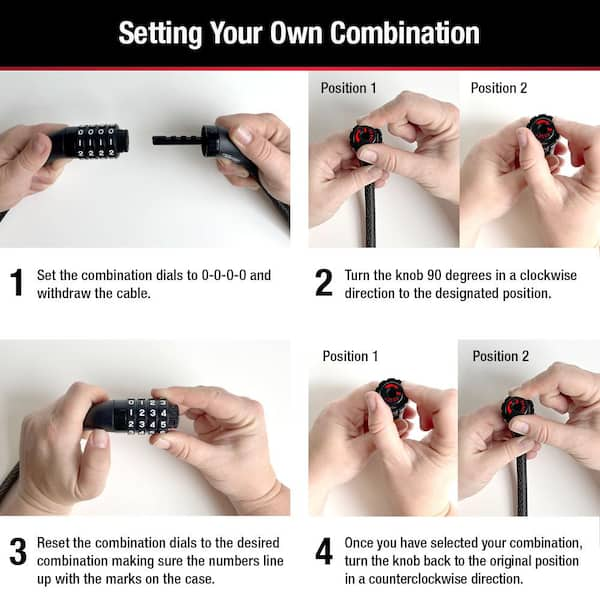
Changing the combination on your Onguard bike lock keeps your bike safe. It also gives you control over who can open it. The process is simple and takes just a few steps. Keep your current combination ready before starting. Follow these instructions carefully to set a new code you can remember.
Turning The Dials
Start by setting the dials to the current combination. Make sure each number aligns perfectly with the marker. Turn the dials slowly to avoid skipping numbers. This step unlocks the mechanism to allow changes. If the lock does not open, check the numbers again.
Adjusting The Reset Lever
Find the reset lever on the side or bottom of the lock. Push or pull the lever to the reset position. While holding the lever, turn the dials to your new combination. Choose a number sequence that is easy to remember. Release the reset lever to lock in the new code. Test the lock by scrambling the dials and re-entering your new combination.
Credit: www.liftingitalia.com
Test The New Code
Testing the new code on your OnGuard bike lock is very important. It ensures the lock works with the new combination. This step helps avoid being locked out later.
Try the new code several times to be sure it opens smoothly. Doing this confirms you entered the numbers correctly. It also checks the lock mechanism is set properly.
Enter The New Combination Carefully
Turn the dials to the new code slowly. Align each number exactly with the marker. A small mistake can stop the lock from opening.
Open The Lock With The New Code
Pull the lock shackle gently after setting the new combination. It should open without force. If it does not, try the code again.
Test Multiple Times For Accuracy
Repeat opening and closing the lock three to five times. This practice confirms the code is set and working. It also builds your confidence with the new numbers.
Reset If The Code Fails
If the lock does not open, reset the combination. Check each step of the changing process. Start over carefully to avoid errors.
Tips For Choosing A Combination
Choosing the right combination for your Onguard bike lock is important. A good combination keeps your bike safe and easy to open. Pick numbers that are hard for others to guess but easy for you to remember. This section gives simple tips to find a strong and memorable code.
Avoid Common Patterns
Common patterns are easy to guess. Avoid sequences like 1234 or 0000. Do not use repeating numbers such as 1111 or 2222. Avoid simple shapes like squares or lines on the dial. These combinations are often the first ones thieves try.
Use Memorable Numbers
Choose numbers that mean something to you. Use birthdays, anniversaries, or lucky numbers. Do not use full dates that others might know. Break the numbers into smaller parts to make them easier to remember. This helps you recall the combination quickly and keeps your bike safe.
Troubleshooting Common Issues
Changing the combination on your Onguard bike lock is usually simple. But sometimes, problems occur. This section helps solve common issues. Follow these steps to fix common problems fast. Stay calm and try each tip carefully.
Lock Not Resetting
First, check if the lock is open. The lock must be open to reset the code. Turn the dials to the current combination. Push or pull the reset button or lever. Hold it in the reset position while changing numbers. Release the reset button only after setting the new code. If the lock does not reset, try again slowly. Dirt or rust may block the mechanism. Clean the lock gently with a soft cloth. Avoid forcing the reset button. Use light pressure to avoid damage.
Forgot The Original Combination
Without the original code, resetting is hard. Try common combinations like 0000 or 1234 first. Think about numbers you might have used. Birthdays or simple patterns are common choices. If you still cannot open it, contact Onguard support. They may ask for proof of purchase. Avoid trying too many combinations quickly. This can lock the mechanism temporarily. Patience and careful attempts increase your chance to succeed.
Credit: www.instructables.com
Frequently Asked Questions
How Do I Reset The Combination On An Onguard Lock?
To reset your Onguard lock, first align the current combination. Then, press the reset lever or button. Finally, set your new combination and release the reset. Always test the new code before locking.
What Tools Are Needed To Change An Onguard Bike Lock Code?
No tools are required to change the combination on an Onguard bike lock. The process only involves manipulating the lock’s reset mechanism and dialing your new code.
Can I Change The Combination Without The Original Code?
No, you must know the original combination to change it. Without the current code, resetting the lock is not possible and may require professional assistance.
How Often Should I Change My Bike Lock Combination?
It’s recommended to change your bike lock combination every 3 to 6 months. Regular updates improve security and reduce the risk of unauthorized access.
Conclusion
Changing the combination on your Onguard bike lock keeps your bike safe. Follow the steps carefully to avoid mistakes. Always choose a number easy for you to remember. Test the new code several times before locking your bike. Regularly changing your combination improves security.
Stay safe and enjoy worry-free rides.

