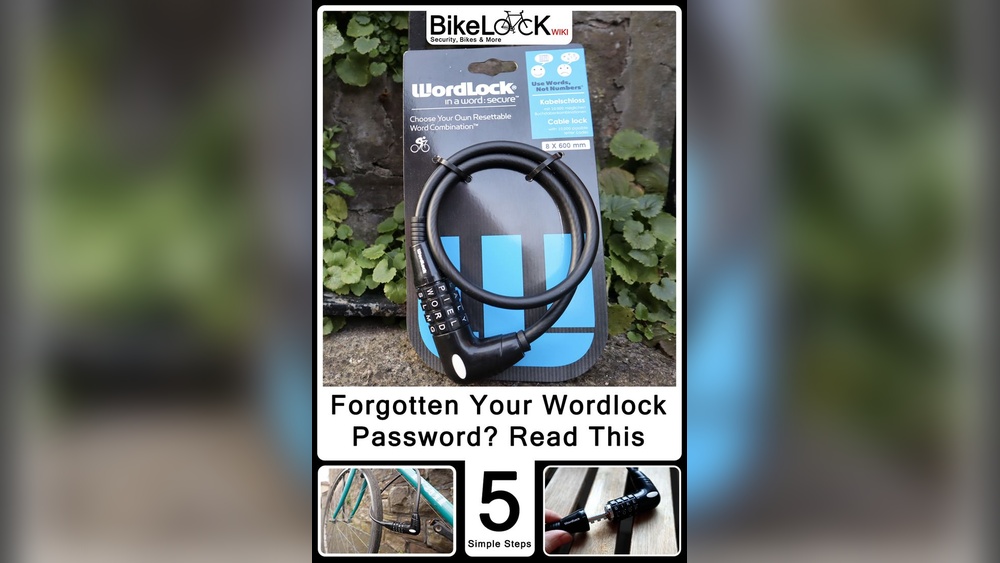
If you own a Wordlock bike lock, knowing how to change the combo is a must. Maybe you want to make your lock more secure or simply forgot your old combination.
Whatever the reason, changing your Wordlock combo is easier than you think. In this guide, you’ll get clear, step-by-step instructions to reset your lock quickly and safely. Keep reading, and you’ll have full control over your bike’s security in no time.
Don’t let confusion stop you—take charge of your lock now!
Prepare Your Wordlock
Before changing the combination on your Wordlock bike lock, you must prepare it properly. This step helps avoid mistakes and ensures the lock changes smoothly.
Start by understanding the lock’s reset mechanism. Then, set the lock to the current combination. These actions make the lock ready for a new code.
Locate The Reset Mechanism
Find the small reset button or lever on the lock body. Usually, it is near the dials or inside the shackle hole. Use a small tool or your fingernail to press or slide it. This mechanism allows you to set a new combination safely.
Set The Lock To The Current Combination
Turn the dials to the current code. This step unlocks the shackle or reset mechanism. Make sure the numbers align perfectly. If the code is wrong, you cannot reset the lock. Double-check before moving forward.

Credit: bikedrivetest.wixsite.com
Reset The Combination
Resetting the combination on your Wordlock bike lock keeps your bike secure. This process lets you pick a new code that is easier to remember. Changing your combination regularly adds extra safety to your lock.
Engage The Reset Mode
Start by opening your Wordlock with the current combination. Look for the reset button or lever on the lock. Press or slide this button to enter reset mode. Hold it firmly until you hear a click or feel it lock in place. This step prepares the lock to accept a new code.
Choose Your New Combination
Turn the dials to set your new combination numbers or letters. Pick a code that is simple for you but hard for others. Double-check each dial to make sure the new code is correct. Release the reset button carefully to save your new combination. Test the lock by closing and opening it with the new code.
Save And Test The New Code
After setting your new combination on the Wordlock bike lock, it is important to save and test the new code. This step ensures your lock works correctly with the new numbers. Testing helps avoid any future frustration or lockouts.
Saving the new code means locking it in place so the lock recognizes the new sequence. Testing the lock confirms the code works well before you depend on it to secure your bike.
Lock And Unlock To Confirm
First, scramble the dials to lock the Wordlock. This stops the lock from opening by mistake. Now, enter your new combination slowly and carefully. If the lock opens easily, your code is set correctly. Repeat this step two or three times. It helps you feel confident the new code works every time.
Troubleshooting Common Issues
If the lock does not open, check the numbers again. Make sure they are lined up perfectly with the markers. Sometimes the dials slip, causing the code to be off. Try resetting the combination from the start if problems continue. Also, ensure you followed the instructions exactly during the code change. Small mistakes can cause trouble. Keep calm and try again.
Tips For Creating A Strong Combination
Creating a strong combination for your Wordlock bike lock is very important. A good code keeps your bike safe from theft. It also makes it easy for you to remember the numbers. Follow these tips to set a secure and simple combination.
Strong combinations do not use easy or common number patterns. They also use codes that you can recall without trouble. This balance helps protect your bike and avoids frustration.
Avoid Common Number Patterns
Common number patterns are easy to guess. Avoid sequences like 1234, 0000, or 1111. Do not use repeated numbers or simple counting. These patterns are the first to try for thieves. Mixing different numbers makes your lock harder to break.
Use Memorable But Secure Codes
Pick numbers that mean something to you but are not obvious. Use dates, but not birthdays or anniversaries. Try a mix of numbers from a favorite book or song. Think of a short phrase and convert it to numbers. This way, your code stays safe and easy to remember.
Maintenance For Your Wordlock
Maintaining your Wordlock bike lock helps it work well for a long time. Simple care keeps the lock smooth and safe. Small steps can prevent problems before they start. Spend a few minutes on maintenance regularly. Your lock will thank you with better performance.
Regularly Check The Mechanism
Check the lock’s dials and shackle often. Make sure the numbers turn easily. Look for signs of wear or damage. Test the lock by opening and closing it a few times. Catch small problems early to avoid bigger issues.
Keep The Lock Clean And Lubricated
Remove dirt and dust from the lock’s surface. Use a soft cloth or brush for cleaning. Apply a small amount of lubricant inside the lock. Use a graphite or silicone-based lubricant for best results. Avoid oil-based products that attract dirt. Clean and lubricate the lock twice a year to keep it smooth.

Credit: www.acquetech.com

Credit: www.youtube.com
Frequently Asked Questions
How Do I Reset The Combo On A Wordlock Bike Lock?
To reset your Wordlock bike lock combo, open the lock using the current code. Press the reset button or lever. Set your new combination by aligning the letters or numbers. Release the reset mechanism to lock in the new code.
Test the new combo before locking.
Can I Change The Combo Without The Original Code?
No, you cannot change the combo without knowing the original code. The lock must be open to access the reset mechanism. If you forget the code, contact Wordlock support or use a backup key if available. Always keep your combo in a safe place.
What Is The Easiest Way To Remember My New Wordlock Combo?
Choose a word or name that is easy to recall but hard to guess. Avoid common words or predictable patterns. Write down the combination and store it securely. Regularly practice using the combo to reinforce memory. This helps prevent lockouts and improves bike security.
How Often Should I Change My Wordlock Bike Lock Combo?
It’s best to change your combo every 3 to 6 months for security. Changing regularly reduces the risk of unauthorized access. Update your records with the new combination. Frequent changes ensure your bike remains protected from potential theft.
Conclusion
Changing the combo on your Wordlock bike lock is simple. Follow the steps carefully and take your time. Always choose a code you can remember easily. Double-check the new combination before locking your bike. This keeps your bike safe and secure.
Practice changing the combo a few times to feel confident. Keep your lock in good condition to avoid problems. Now, you are ready to protect your bike with your own code. Stay safe and enjoy your ride!