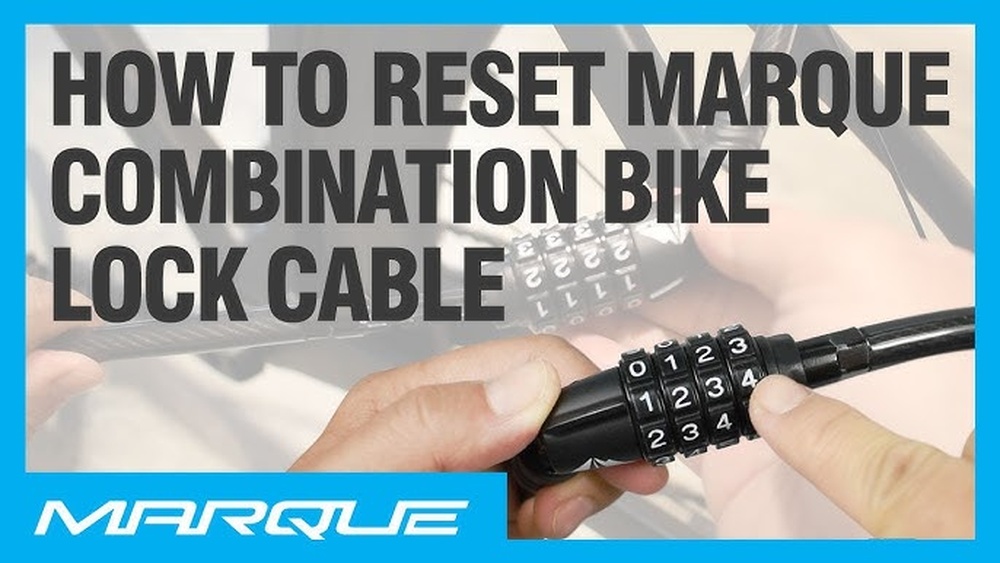
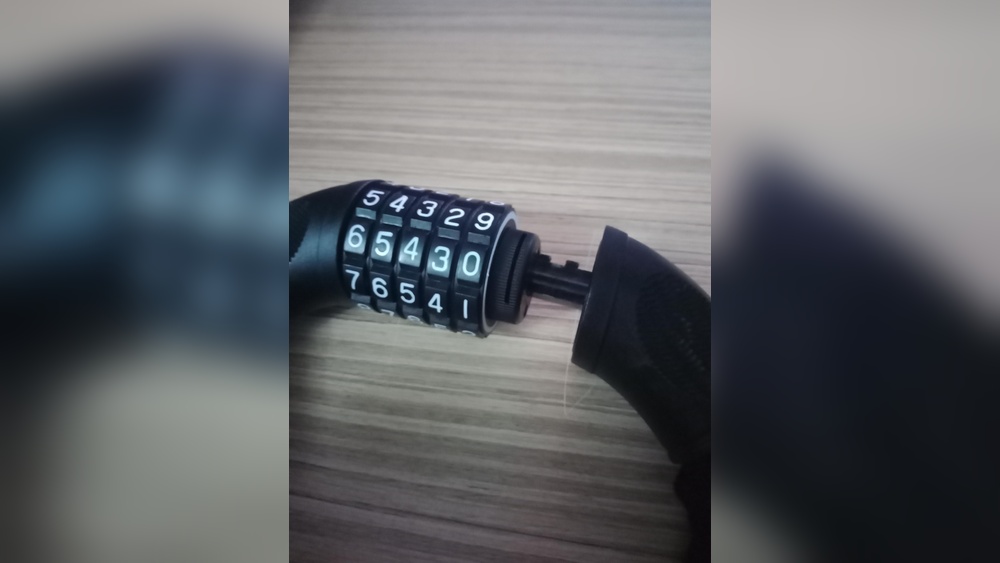
If you own a Wordlock bike lock, you know how handy it is to secure your bike with a word combination instead of numbers. But what if you want to change that password to something more personal or easier to remember?
You might think it’s tricky, but changing the password on your Wordlock bike lock is actually simple once you know the steps. You’ll learn exactly how to reset your lock’s combination quickly and safely. Keep reading, and you’ll never have to worry about forgetting or sharing your bike lock’s password again.
Prepare The Lock
Start by opening the Wordlock bike lock with your current combination. Next, find the small reset tab, usually located on the side or bottom of the lock. Gently lift or slide this tab to prepare the lock for setting a new password.
Before changing the password on your Wordlock bike lock, you must prepare the lock properly. This step ensures the lock is ready for resetting the combination. Follow the instructions carefully to avoid any issues.
Preparing the lock involves entering the current combination and opening the shackle. Both steps are essential to access the reset mechanism. Make sure you know the current code before starting.
Enter Current Combination
Turn the dials to enter the current combination. Align each letter or number with the indicator line on the lock. Double-check the code to ensure it is correct. If the combination is wrong, the lock will not open.
Take your time to align the dials perfectly. Once the correct code is set, the lock will release the shackle. This step confirms the lock is unlocked and ready for the next step.
Open The Shackle
After entering the current combination, pull up the shackle gently. The shackle is the U-shaped metal part of the lock. Opening it gives access to the reset slot or button.
Keep the shackle open during the entire password change process. Closing it too soon can lock in the old combination. Hold the shackle firmly to avoid accidental closing.

Credit: aeinnova.com
Locate The Reset Mechanism
Before changing the password on your Wordlock bike lock, you must locate the reset mechanism. This step is essential to set a new combination. The reset mechanism usually consists of a small slot and a tool designed for resetting. Knowing where to find these parts will make the process quick and easy.
Find The Reset Slot
The reset slot is a tiny opening on the lock body. It can be on the side or the bottom of the lock. Look closely for a small hole or indentation. This slot allows you to insert the reset tool. Make sure the lock is open before searching for the slot. The lock must be unlocked to access the reset mechanism.
Identify The Reset Tool
The reset tool often comes with the lock. It looks like a small pin or key. Sometimes, the shackle itself can be used as the tool. Check your lock’s packaging or manual for details. The tool fits perfectly into the reset slot. You will use it to turn and activate the reset mode.
Change The Combination
Changing the combination on your Wordlock bike lock keeps your bike safe. It is simple and takes only a few steps. Follow the instructions carefully to set a new word that you can remember easily. Keep the new combination private for better security.
Insert And Turn The Reset Tool
First, open the lock using the current combination. Find the small reset slot on the side or bottom of the lock. Insert the reset tool into this slot. Turn the tool 90 degrees or as shown in your lock’s manual. This step allows you to change the combination freely.
Set New Word Combination
While the reset tool is turned, set your new word combination. Rotate the letter dials to choose letters you want for your lock. Use a word or a mix of letters easy to remember. Avoid common words to keep the lock secure.
Align Letters With Indicator
Make sure each letter aligns with the indicator line on the lock. This line shows the correct position of each dial. After setting your new word, turn the reset tool back to its original position. Test the lock by closing and opening it with your new combination to confirm it works.
Finalize The Reset
Finalize the reset carefully to ensure your new Wordlock bike lock password works. This last step locks in your new combination and secures your bike. Follow the steps below to complete the reset process smoothly.
Turn Reset Tool Back
After setting your new password, turn the reset tool back to its original position. This action locks the new combination in place. Make sure to turn it fully to avoid any issues with your lock later.
Close The Reset Slot
Next, close the reset slot cover or push the tab back into place. This step protects the lock from dirt and damage. A securely closed reset slot keeps your lock safe and working properly.
Test The New Password
After setting a new password on your Wordlock bike lock, testing it ensures the change works correctly. This step confirms you can open the lock with your new combination. It also prevents getting stuck outside your bike later. Follow these simple actions to test your new password safely and confidently.
Scramble The Dials
Start by turning the dials to mix up the letters. Change each dial so the lock no longer shows the new password. This step resets the lock to a locked position. It makes sure the lock is secure before you try the new code.
Unlock With New Combination
Next, enter the new password you just set. Align the letters carefully with the indicator line on the lock. Then, pull up the shackle to open it. If the lock opens smoothly, your new password works perfectly. If not, repeat the setting steps to fix any mistakes.
Tips For Choosing A Strong Password
Choosing a strong password for your Wordlock bike lock is essential for security. A good password keeps your bike safe from theft. It should be easy to remember but hard to guess. Use these tips to pick a strong password that works well with your lock.
Use Memorable Words
Select words that are easy for you to recall. Think of names, places, or things you like. Combine these words in a way that makes sense only to you. This way, you can remember your password without writing it down. Avoid random letters or numbers that confuse you.
Avoid Common Words
Steer clear of simple or popular words. Words like “bike,” “lock,” or “password” are easy targets. Thieves often try these first. Also, avoid using simple number patterns like “1234.” These choices make your lock vulnerable. Use less obvious words instead.
Keep It Unique
Create a password that you do not use anywhere else. Reusing passwords increases risk. If one account is hacked, others become unsafe too. Your Wordlock password should be special. This keeps your bike lock separate from other passwords.
Troubleshooting Common Issues
Troubles with your Wordlock bike lock can happen during the password change process. These common issues can slow you down. Knowing how to fix them saves time and stress.
Forgot Current Combination
Forgetting the current combination is a usual problem. Without it, you cannot open the lock. Try to recall any common words or dates you may have used. If you still cannot remember, check if you registered the combination when you bought the lock. Contact customer support for help options. They might ask for proof of purchase before assisting.
Reset Tool Won’t Turn
The reset tool may sometimes feel stuck. Make sure the lock is fully open before inserting the reset tool. Press the tool firmly but gently to avoid bending it. Try wiggling the tool slightly while turning it. Dirt or rust can block the mechanism. Clean the lock area carefully with a soft brush or cloth. Avoid using too much force, as it can damage the lock.
Lock Won’t Open After Reset
After resetting, the lock might fail to open. Double-check that you set the new combination correctly. Align the letters exactly with the indicator line. Scramble the dials and try the new code again. If it still does not open, the reset may not have completed. Repeat the reset steps slowly. If problems continue, consult the product manual or customer service.

Credit: www.youtube.com

Credit: www.amazon.sa
Frequently Asked Questions
How Do I Change The Code On A Wordlock Bike Lock?
Open the lock with the current code. Locate and open the reset tab at the bottom. Set your new word combination. Close the reset tab and test the new code to ensure it works properly.
How Do I Change The Password On My Bike Lock?
Open the lock using the current combination. Locate the reset slot on the lock. Insert the reset tool and turn it. Set your new password on the dials. Turn the tool back and close the lock. Test the new password to ensure it works.
How To Reset Master Wordlock?
Open the lock using the current combination. Locate the reset slot on the side or bottom. Insert the reset tool and turn it. Set your new word combination aligned with the indicator. Turn the tool back and test the new combination to ensure it works.
How Do I Reset A Combination Lock If I Forgot The Code?
To reset a combination lock without the code, try default combinations or contact the manufacturer. Avoid forcing the lock to prevent damage.
Conclusion
Changing your Wordlock bike lock password keeps your bike secure. Follow simple steps carefully to avoid mistakes. Always test the new combination before locking your bike. Remember your new password or write it down safely. Regularly changing your password adds extra protection.
Stay safe and enjoy worry-free bike rides with your Wordlock.