Struggling to change the combination on your Tonyon bike lock? You’re not alone.
Whether you want to set a new code for better security or just forgot your current one, knowing how to reset your Tonyon bike lock is key to keeping your bike safe and accessible. In this guide, you’ll discover simple, step-by-step instructions to reset your lock quickly and confidently.
By the end, you’ll have full control over your lock’s combination, preventing any future hassle. Ready to take charge of your bike’s security? Let’s dive in.
Unlocking The Tonyon Bike Lock
Unlocking the Tonyon bike lock is the first step in resetting its combination. Knowing how to open the lock using the current code ensures a smooth reset process. Follow clear steps to access the lock and prepare it for the new combination setting.
Using The Current Combination
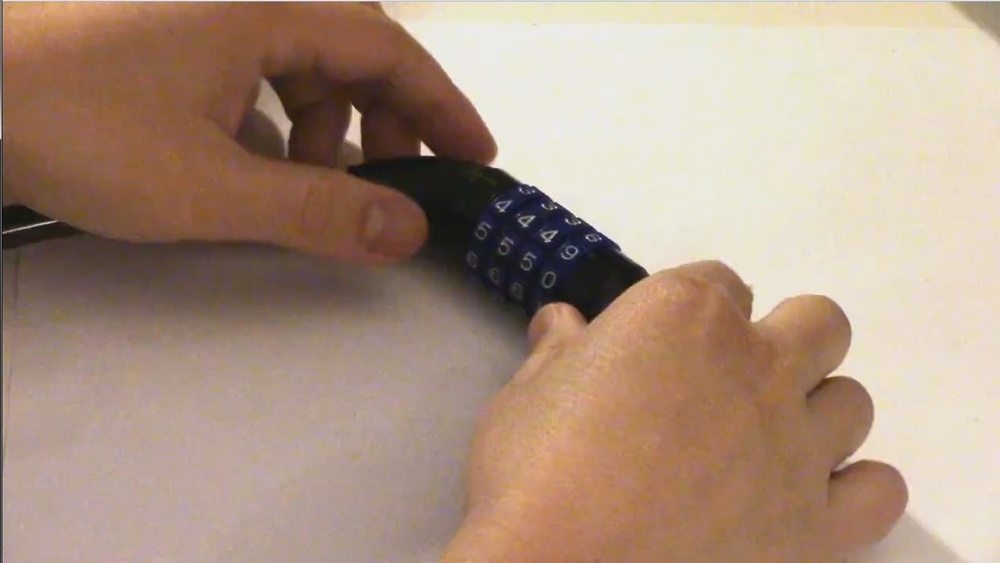
Start by aligning the dials to the current combination. Each number must match the code exactly. Turn the dials carefully to avoid skipping numbers. Once set, pull the shackle or press the release button. The lock will open only if the code is correct.
Opening The Lock
After entering the correct combination, lift the shackle or slide the lock open. Keep the lock steady while doing this. If the lock does not open, recheck the numbers. Make sure the dials are precisely on the code. Opening the lock fully allows access to the reset mechanism.
Credit: moribellevue.com
Finding The Reset Mechanism
Finding the reset mechanism is the first step in changing your Tonyon bike lock code. This mechanism allows you to set a new combination safely. Knowing where it is located helps you reset the lock without damage. The reset part is usually small and may be hidden. It requires careful inspection of the lock body. Below, we explain how to identify the reset button or dial. We also describe the common types of reset mechanisms found on Tonyon locks.
Locating The Reset Button Or Dial
The reset button or dial is often inside the lock body. Open the lock using your current combination. Check near the dials or on the side of the lock. Sometimes, the reset button looks like a small pinhole. You may need a thin tool, like a paperclip, to press it. Other times, you will find a small dial that turns a quarter or half turn. This dial may have the word “SET” or a similar mark. Look closely for any levers or small switches. Each model may differ, so explore the lock carefully.
Types Of Reset Mechanisms
Tonyon bike locks use mainly two types of reset mechanisms. The first type is a press button. You press and hold it to enter reset mode. While holding, set your new code on the number dials. Release the button to save the new combination.
The second type is a twist dial or lever. You rotate or flip it to a reset position. Then, you turn the number wheels to your desired code. After setting, turn the dial back to its original spot. This action locks your new code in place.
Some models may require removing a clip or cover to access the reset area. Always handle the lock gently to avoid damage. Understanding your lock’s reset type makes the process quicker and safer.
Entering Reset Mode
Entering reset mode is the first step to change your Tonyon bike lock code. This mode allows you to set a new combination safely. You must follow the correct steps to avoid locking yourself out. Two common ways to enter reset mode are the press and hold method and the dial rotation method. Both are simple and quick when done carefully.
Press And Hold Method
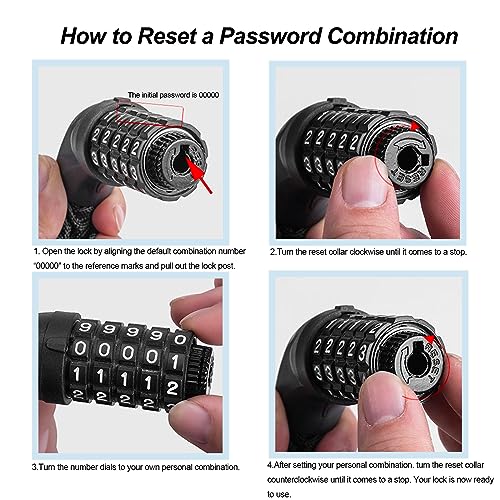
Start by opening the lock with your current code. Look for a small button or pin on the lock body. Use a pen or paperclip to press and hold this button firmly. Keep holding the button while you turn the dials to your new code. Do not release the button until you finish setting your new combination. Once done, release the button and test the new code to confirm it works.
Dial Rotation Method
Open the lock using your current combination. Locate the reset dial, usually near the lock’s shackle or on the side. Turn the reset dial 90 degrees or until it stops; this action puts the lock in reset mode. While the dial is turned, set your new combination by rotating the number wheels. After selecting your new code, rotate the reset dial back to its original position. Close the lock and try the new code to ensure it is set correctly.
Setting A New Combination
Setting a new combination on your Tonyon bike lock ensures your bike stays secure with a code you can easily remember. The process involves choosing a code, aligning the number dials, and carefully removing and reassembling the dials. Each step requires attention to detail to avoid mistakes. Follow these clear steps to set your new combination confidently.
Choosing Your Code
Pick a simple code you can remember easily. Avoid obvious numbers like 000 or 123. Use a mix of numbers that have meaning for you. Keep the code short and easy to recall. Writing it down in a safe place can help prevent forgetting it later.
Aligning Number Dials
Turn the dials to the current combination to open the lock. Next, move each dial to your new chosen number. Make sure all numbers line up perfectly in the center. This alignment sets the lock to your new code. Take your time to avoid misalignment and ensure accuracy.
Removing And Reassembling Dials
Some Tonyon locks require removing a small clip to change the code. Use a small tool to gently pull out the clip. Carefully slide the dials off one by one. Set each dial to your new number before putting them back. Reattach the clip securely to lock the new combination in place.
Exiting Reset Mode
Exiting reset mode on your Tonyon bike lock is a crucial step to secure your new combination. After setting your desired code, you must return the lock to its normal state. This ensures the lock will recognize and use the new combination properly. Follow the instructions carefully to avoid mistakes and keep your bike safe.
Releasing Buttons Or Levers
Start by releasing any buttons or levers used to enter reset mode. If you pressed and held a reset button, let it go slowly. For levers, move them back to the original position gently. This step locks in the new combination settings and prevents accidental changes.
Returning Mechanism To Original Position
Next, rotate or slide the reset mechanism back to its starting point. This action secures your new code inside the lock. Check the lock body for markings to find the correct position. Always ensure the mechanism is fully returned to avoid lock malfunction.
Testing The New Code
Testing the new code is a crucial step after resetting your Tonyon bike lock. This ensures the lock works properly and your new combination is set correctly. Without testing, you risk being locked out or having a code that does not secure your bike. Follow the steps below to confirm your new code functions as expected.
Closing And Locking
After setting your new code, close the lock carefully. Make sure the shackle or cable fits securely into the lock body. Press or slide the locking mechanism until you hear a click or feel it snap into place. This confirms the lock is engaged.
Scramble the dials by turning them to random numbers. This hides your new combination and protects your bike from theft. The lock should remain firmly closed during this process.
Verifying Unlock With New Combination
To verify, enter your new code slowly and precisely. Align each number with the indicator line or mark on the lock. Once set, pull the shackle or cable to open the lock.
If the lock opens smoothly, your new combination is successful. If it does not, repeat the resetting process carefully. Testing ensures your bike stays safe and you avoid future lock troubles.
Tips For Different Lock Types
Different Tonyon bike locks have unique reset steps. Knowing the right method saves time and effort. This section covers useful tips for shackle-style and cable locks. Follow these tips to reset your lock safely and easily.
Shackle-style Locks
Open the lock with your current combination. Find the reset lever or button on the lock body. This is usually near the shackle or inside the lock. Press or turn the reset tool as needed. Set your new combination by rotating the dials. Return the reset lever or button to its original place. Close the lock and test your new code. Write down your new combination in a safe spot.
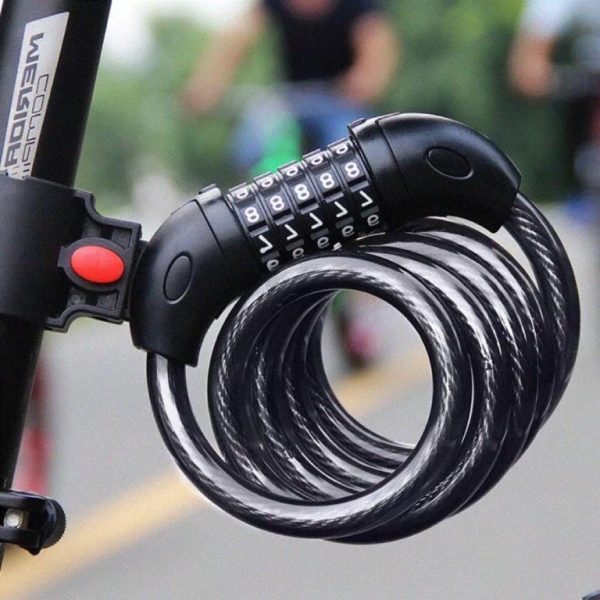
Cable Locks
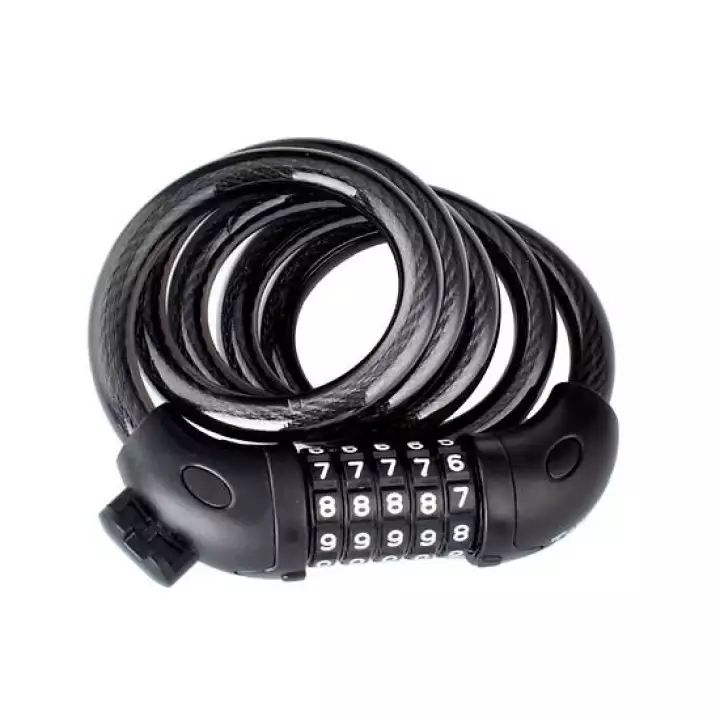
Unlock the cable lock using your current code. Pull the cable out slightly to access the reset switch. The reset switch may be a small button or lever on the lock housing. Hold or turn the reset switch to activate the reset mode. Change the dials to your new combination. Release the reset switch and push the cable back in. Test the new code by locking and unlocking. Keep your new combination recorded to avoid trouble.
Credit: www.rickandanns.com
Handling Forgotten Combinations
Forgetting the combination to your Tonyon bike lock can be frustrating. It stops you from accessing your bike and makes resetting the lock tricky. Handling forgotten combinations requires patience and some simple methods. You can try decoding the lock or, if needed, use tools to remove it safely.
Decoding Techniques
Decoding means finding the correct combination without the original code. Slowly turn each dial and feel for a slight resistance or click. This may indicate the correct number. Repeat this for all dials one by one.
Use gentle pressure to avoid damaging the lock. Keep track of numbers that feel different from others. Try combinations based on these clues. This method takes time but often works without tools.
Using Bolt Cutters Or Angle Grinders
If decoding fails, removing the lock might be necessary. Bolt cutters work on thinner cables or shackles. Position the cutters on the lock’s weakest part and apply steady force.
Angle grinders cut through tougher metal locks. Use safety gear like gloves and goggles. Cut carefully to avoid injury or damage to your bike.
Removing the lock this way should be a last option. Always try decoding first to save your lock from damage.
Recording Your Combination Safely
Recording your new combination safely is crucial after resetting your Tonyon bike lock. Losing or forgetting the code can leave your bike vulnerable or locked indefinitely. Taking simple steps to secure this information ensures you always have access without risking theft or loss.
Write down the combination immediately after setting it. Use a notebook or a dedicated password keeper that you trust. Avoid saving it in unsecured digital notes or apps that others can access easily.
Store the written combination in a place only you can reach. A wallet, a personal drawer, or a small safe works well. Make sure it is not visible to others who might use your bike without permission.
Use Clear And Simple Notation
Write the numbers clearly and separate each digit with a space or dash. This reduces the chance of confusion. Avoid shorthand or symbols that could be misread later.
Create A Backup Record
Keep a second copy in a different location. This helps if you lose the first one. Consider giving a trusted family member or friend a copy for emergencies.
Avoid Sharing Your Combination Publicly
Never share your code on social media or with strangers. Only share it with people who need to know. The fewer who know the code, the safer your bike will be.
Update Your Record After Changes
Each time you reset your lock, update your record immediately. Do not rely on memory alone. Keeping your records current prevents accidental lockouts.
Credit: www.scala-santa.com
Frequently Asked Questions
How Do I Reset The Code On A Bike Lock?
Use the current code to open the lock. Locate the reset button or dial, activate it, set a new code, then deactivate the reset mechanism. Close the lock and test the new combination to ensure it works.
How To Reset Lock If Forgot Code?
To reset a lock without the code, try to decode it by testing combinations. If unsuccessful, use bolt cutters or consult the manufacturer for assistance.
How Do I Reset A 4 Digit Combination Lock?
Use the current combination to open the lock. Locate and activate the reset mechanism. Set your new 4-digit code, then secure the reset mechanism. Test the new combination before locking. Write down the new code to avoid forgetting it.
How To Reset 3 Digit Combination Lock Without Reset Button?
To reset a 3-digit combination lock without a reset button, open it using the current code. Align the dials to the desired new combination. Close the lock to set the new code. Test the new combination to ensure it works correctly.
Conclusion
Resetting your Tonyon bike lock is simple and quick. Use the current code to open the lock first. Find the reset button or dial on the lock body. Set your new combination while holding or turning the reset mechanism. Make sure to return the reset lever to its original position after setting.
Test the new code to confirm it works properly. Always write down your new combination and keep it safe. This way, you avoid getting locked out in the future. Regularly changing your code helps keep your bike secure.