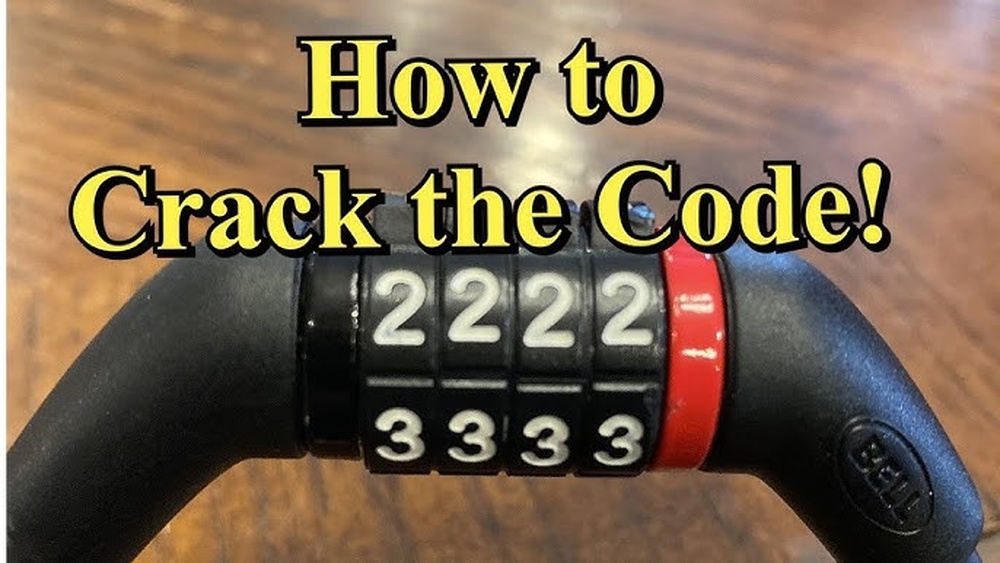
You’ve invested in an OnGuard bike lock to keep your bike safe, but do you know how to set it up correctly? If you want to protect your ride without any hassle, learning how to set your OnGuard bike lock combination is crucial.
Imagine the peace of mind you’ll get when your bike is secured with a personalized code only you know. This guide will walk you through simple, step-by-step instructions to set or reset your OnGuard bike lock quickly and easily. Keep reading to unlock the secrets to bike security and never worry about forgotten combinations again!
Credit: bicyclewarehouse.com
Choosing The Right Onguard Lock
Choosing the right Onguard lock is key to keeping your bike safe. Different locks serve different needs. It is important to know what options exist. Consider your daily routes and parking spots. This helps decide the best lock for your bike.
Types Of Onguard Locks
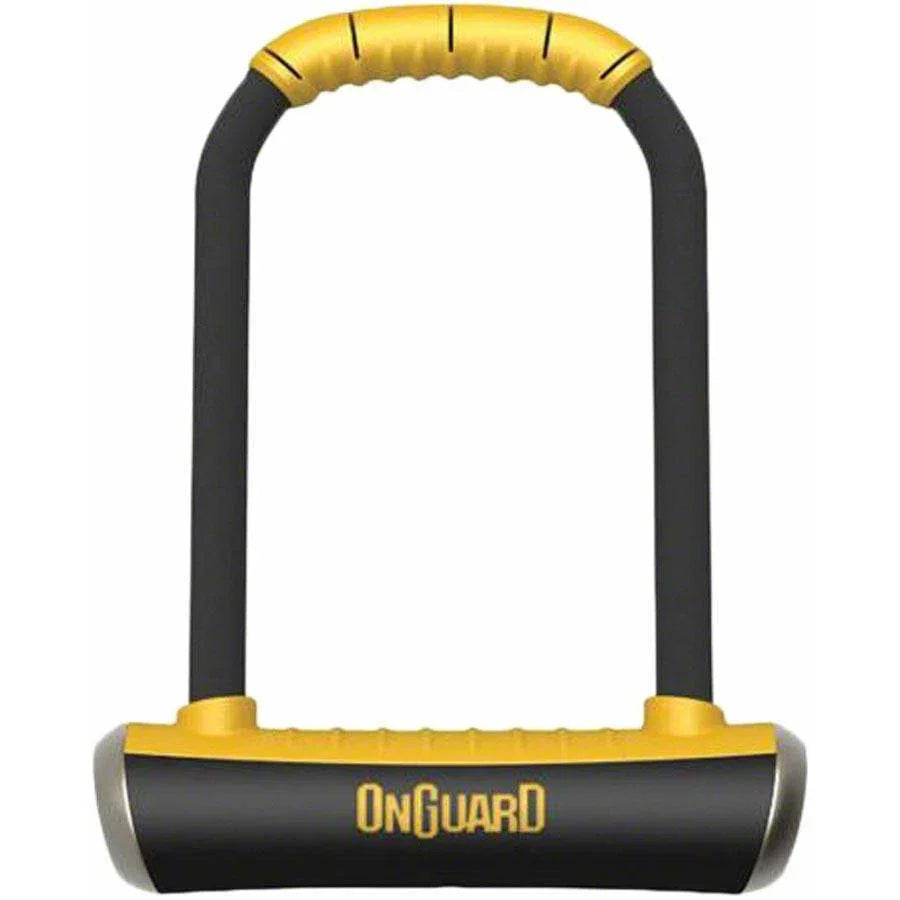
Onguard offers several lock types. U-locks are strong and resist cutting. They are great for busy urban areas. Cable locks are flexible and lightweight. They work well for quick stops. Chain locks combine strength and flexibility. They provide good security for longer parking. Folding locks fold into a compact shape. They are easy to carry and use.
Security Features To Consider
Look for locks with hardened steel. This material resists saws and bolt cutters. Check for double locking mechanisms. They make it harder to break the lock. Some locks have anti-pick designs. These stop lock picking attempts. Weather resistance is also important. It keeps the lock working in rain or snow. Size and weight matter too. Choose a lock you can carry daily.
Preparing To Set Your Combination
Setting your OnGuard bike lock combination starts with a few simple steps. Preparing to set your combination ensures the lock is ready and easy to program. This process includes finding the reset mechanism and understanding the default combination. Taking these steps makes setting your own code smooth and secure.
Locating The Reset Mechanism
The reset mechanism on an OnGuard bike lock is usually a small button or lever. It is often found near the dials or inside the lock’s shackle area. You may need a small tool or pen tip to press it. Pressing or moving this mechanism puts the lock into programming mode.
Make sure the lock is open before trying to reset the combination. If the lock is closed, you cannot change the code. Once you find the reset button or lever, hold it firmly while setting your new combination.
Default Combination And Opening The Lock
The default combination on most OnGuard bike locks is set to 0-0-0-0. This code opens the lock out of the box. Turn the dials to 0-0-0-0 and pull the shackle to open the lock. If it does not open, check the instructions that came with your lock.
After opening, you can access the reset mechanism to set your own code. Remember your new combination or write it down. This step is important to avoid locking yourself out. Setting a simple yet secure code helps protect your bike.
Step-by-step Combination Setup
Setting your Onguard bike lock combination is simple and quick. Follow the clear steps below to create a secure code that only you will know. This guide helps you change the default code to a new one that is easy to remember.
Each step is important to ensure your lock works properly. Take your time and follow along carefully.
Unlocking The Lock
Start by entering the current combination. The default is often set to 0-0-0-0 or a similar code. Turn the dials to this code and pull the shackle to open the lock.
If your lock does not open, recheck the numbers and try again. Do not force the lock.
Activating The Reset Mode
Find the reset lever or button on the lock body. Push or slide this lever to the reset position. This mode allows you to set a new combination.
Keep the reset lever in place while you select your new code. Releasing it too soon cancels the process.
Selecting Your New Code
Turn the dials to create your new combination. Choose numbers that are easy for you to recall but hard for others to guess.
Double-check each digit as you set it. Avoid common sequences like 1-2-3-4 for better security.
Finalizing The Combination
Return the reset lever to its original position. This action locks in your new code. Test the lock by closing it and scrambling the dials.
Enter your new combination to unlock. If it opens smoothly, your setup is complete.
Testing Your New Combination
Testing your new combination is vital after setting your Onguard bike lock. It ensures the lock works smoothly with the code you chose. This step avoids lockouts and protects your bike effectively.
Check the lock several times before relying on it. Confirm the code aligns perfectly. Handle the lock gently to avoid damage.
Locking And Unlocking
Start by entering your new combination carefully. Turn the dials to your chosen numbers. Push or pull the lock mechanism to close it. It should snap shut without force.
To unlock, rotate the dials back to your code. Pull the shackle or release the cable. The lock should open easily if the numbers match. Repeat this process a few times to be sure.
Troubleshooting Common Issues
If the lock does not open, check the combination again. Make sure the dials are exactly on the right numbers. Sometimes the dials need to click into place.
Try turning the shackle or cable gently while entering the code. This helps align the internal parts. Avoid forcing the lock, which can cause damage.
If problems persist, reset your combination following the instructions carefully. Confirm the reset lever or button is fully moved to the correct position. Test the new code before using the lock outside.
Tips For Maximum Security
Securing your bike with the Onguard bike lock is important. Using the lock correctly can keep your bike safe from theft. Follow simple tips to get the best security from your lock. These tips help protect your bike in busy or quiet areas.
Choosing A Strong Combination
Select a combination that is hard to guess. Avoid simple numbers like 0000 or 1234. Use a mix of numbers that have meaning only to you. Change the code regularly to keep it secure. Do not share your combination with others. Keep it written down in a safe place if needed.
Proper Locking Techniques
Lock your bike to a solid, immovable object. Use the U-lock to secure the frame and one wheel. Avoid locking only the wheel or the seat. Position the lock so it is off the ground and hard to reach. Twist the lock dials after locking to scramble the code. This stops others from seeing your combination.
Regular Maintenance And Checks
Check your lock regularly for any damage or wear. Clean the lock to remove dirt and dust that can block the mechanism. Use a lubricant to keep the lock working smoothly. Test the lock often to make sure it opens and closes well. Replace the lock if it shows signs of weakness or rust.

Credit: www.youtube.com
Resetting Forgotten Combinations
Forgetting the combination to your Onguard bike lock can cause frustration. Resetting the combination is possible without needing to buy a new lock. This section explains how to regain access by using default codes or contacting support. Follow these simple steps to reset your lock safely and quickly.
Using Default Codes
Start by trying the lock’s default code. Many Onguard locks come preset with a standard combination. This code is often found in the user manual or on the packaging. Enter the default code carefully, and the lock should open.
If the lock opens, reset your combination immediately. Turn the reset lever or button, set your new code, then return the lever to its original position. This sets your new combination. Remember to write down your new code in a safe place.
Contacting Onguard Support
If the default code does not work, contact Onguard customer support. Provide details such as the lock model and proof of purchase. Support staff can guide you through the next steps. They may ask for serial numbers or photos to verify ownership.
Onguard support can help you reset the lock or offer replacement options. Use the official Onguard website or phone number for reliable assistance. Avoid third-party sites to protect your information and lock security.

Credit: www.golfsouthayrshire.com
Frequently Asked Questions
How To Set Code On Guardian Bike Lock?
To set the code on a Guardian bike lock, align the dials to your desired combination. Turn the reset knob counterclockwise. Lock and scramble the dials. Your new code is now set and ready to use.
How To Reset Onguard Bike Lock Forgot Combination?
To reset an OnGuard bike lock after forgetting the combination, contact OnGuard customer support. They verify ownership and guide you through unlocking or resetting procedures. Avoid forcing the lock to prevent damage. Keep proof of purchase ready for faster assistance.
How To Set A 4 Digit Combination Bike Lock?
Align the dials to the factory code or your current combination. Turn the reset knob or button. Set your new 4-digit code. Return the knob to its original position. Test the new combination before locking.
What Is The Default Password For Wordlock Bike Lock?
The default password for a Wordlock bike lock is “SHED. ” This word unlocks the lock when purchased new.
Conclusion
Setting your OnGuard bike lock is simple and keeps your bike safe. Choose a combination you can easily remember. Turn the dials to your chosen numbers carefully. Lock the mechanism and scramble the dials to secure it. Test the new code before using the lock outside.
Regularly check your lock to ensure it works well. A properly set lock gives peace of mind. Protect your bike with the right steps and stay worry-free.