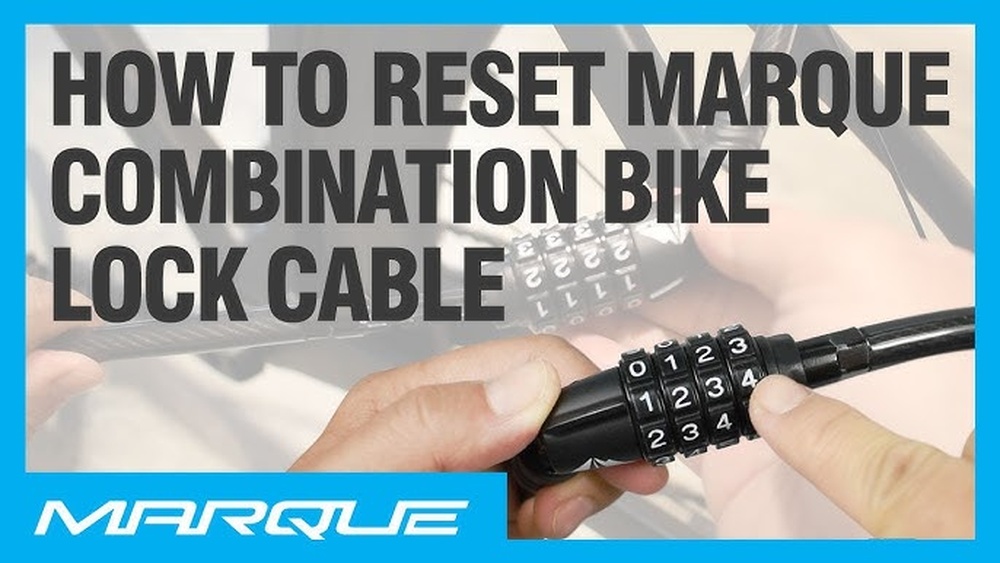
Changing the combination on your Wordlock bike lock might seem tricky at first, but it’s actually a simple process that puts you in full control of your bike’s security. Whether you want to update your code for better protection or just prefer a combination that’s easier to remember, knowing how to reset your Wordlock is essential.
In this guide, you’ll learn clear, step-by-step instructions to change your lock’s combination quickly and safely—no confusion, no hassle. Keep reading to make sure your bike stays safe and only you hold the key to your lock!

Credit: www.nestbharat.com
Prepare The Lock
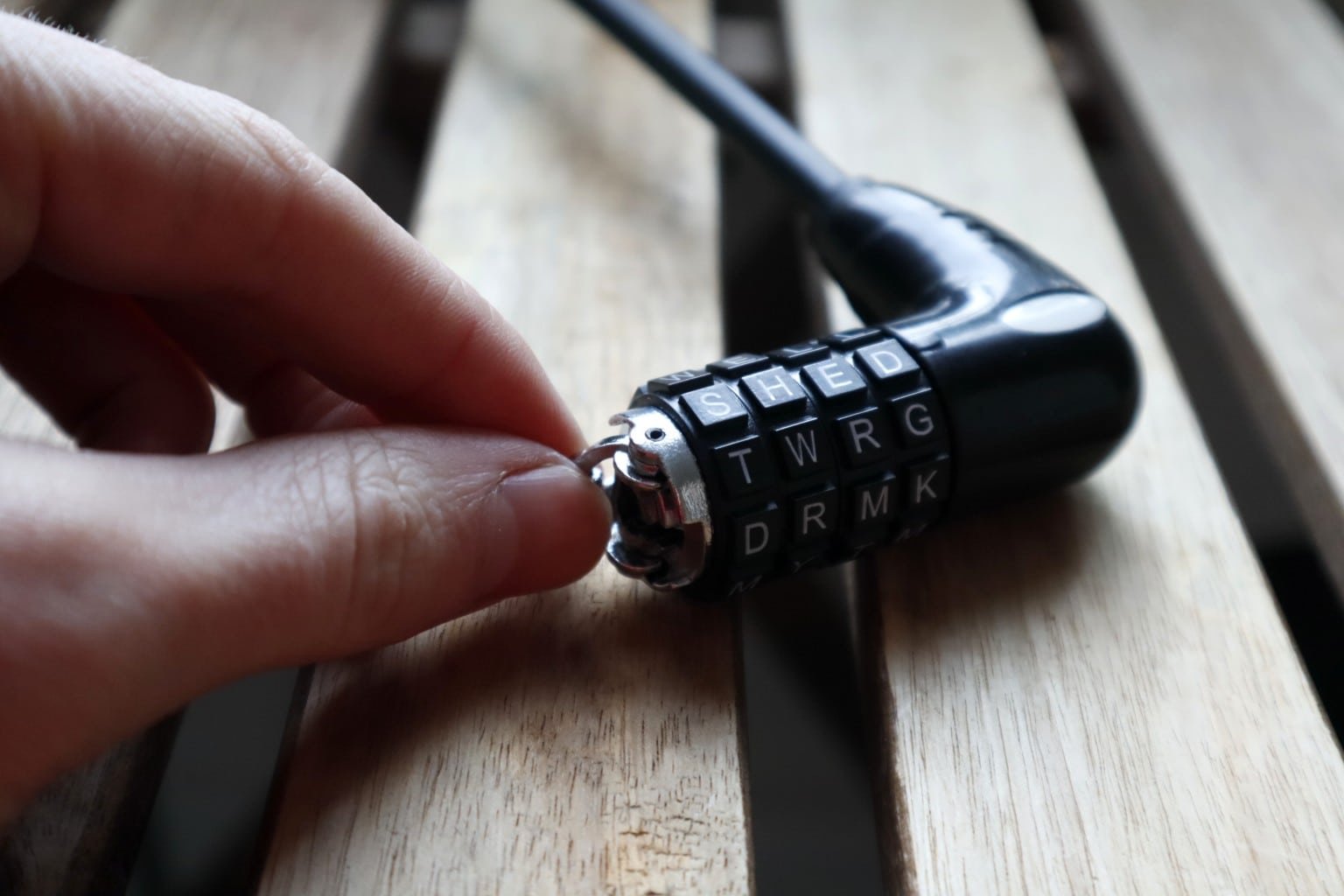
Start by opening the lock with the current combination. Find the small reset tab, usually at the bottom or side of the lock. Gently lift or slide this tab to prepare the lock for setting a new code.
Open With Current Combination
Start by setting the lock to the current combination. This step is essential to access the reset mechanism. Align the letters or numbers to the correct sequence. Once aligned, pull the shackle up to open the lock. Keep the lock open while you prepare to change the code. If the lock does not open, double-check the combination and try again.
Locate Reset Tab
With the lock open, look for the reset tab or button. It is usually a small lever or pin on the side or bottom of the lock body. This tab allows you to change the combination safely. Use a small tool or your fingernail to press or slide the tab. Hold it in place to begin setting a new code. Make sure the lock stays open while the reset tab is engaged.
Engage Reset Mode
Engaging the reset mode is the first crucial step to change your Wordlock bike lock combination. This mode allows you to set a new code safely and easily. Without activating reset mode, the lock will not accept any new combination settings.
Follow simple steps to enter reset mode and prepare your lock for a new code.
Lift Or Slide The Reset Tab
Find the small reset tab on your lock. It is usually on the side or bottom. Use your finger to lift or slide this tab gently. This action triggers the reset mode inside the lock. Do not force the tab, as it may break or jam the mechanism. Once the tab moves, the lock is ready to accept a new combination.
Keep Lock Open
After lifting or sliding the reset tab, keep the shackle open. The lock must stay open during the entire reset process. Closing the shackle will exit reset mode and lock in the old combination. While open, you can safely turn the dials to your new preferred combination. This step secures your new code and prevents accidental locking.
Choose New Combination
Choosing a new combination for your Wordlock bike lock is an important step. It lets you customize your lock with a word or letters easy to remember. This part of the process ensures your bike stays secure and your code stays personal.
Picking a simple word or a mix of letters helps. Avoid common words or sequences that others might guess. Keep the combination short and easy for you to recall.
Set Letters On Dials
Start by turning each dial on your lock to select the letters for your new word. Move the dials slowly to avoid skipping letters. Choose each letter carefully, matching your chosen word exactly. Make sure the letters are clear and easy to read on the dials.
Align With Indicator Line
After setting the letters, align them with the lock’s indicator line. This line shows the correct position for each letter. Check that every dial matches the line perfectly. Proper alignment is necessary to make the lock open with the new combination.
Complete The Reset
Completing the reset process on your Wordlock bike lock is the final step to secure your new combination. This step ensures the lock registers your new code and functions properly. Follow each part carefully to avoid issues later.
Return Reset Tab To Position
After setting your new combination, gently push the reset tab back to its original place. This step locks your new code into the mechanism. Make sure the tab fits snugly to avoid accidental resets.
Close The Lock
Push the shackle down firmly until you hear a click. This confirms the lock is closed and secured. Turn the dials to scramble your new combination. Test opening the lock with your new code to confirm it works.
Test The New Code
Testing the new code on your Wordlock bike lock is a critical step. It ensures your new combination works correctly. Avoids getting locked out later. Follow the simple steps below to confirm your new code functions perfectly.
Scramble The Dials
Start by turning the dials to mix up the letters. This hides your new combination. It helps simulate a locked state. Ensure the lock is fully scrambled before trying to open it.
Unlock With New Combination
Next, enter your new code carefully. Align each letter with the indicator line on the lock. Pull up the shackle gently. If it opens smoothly, your new code works well. If not, reset and try again.
Credit: www.bikelockwiki.com
Tips For Choosing Codes
Choosing the right code for your Wordlock bike lock is important. A good code is easy to remember but hard for others to guess. This keeps your bike safe and saves you from forgetting the combination. Here are some tips to help you pick a strong and simple code.
Pick Easy-to-remember Words
Use words that are familiar and simple for you. Names of places, pets, or favorite foods work well. Keep the word short and clear. This helps you open your lock quickly without trouble. Avoid long or complex words that are hard to recall.
Avoid Common Or Simple Words
Stay away from words like “bike,” “lock,” or “password.” These are easy targets for thieves. Also, do not use simple patterns like “aaaa” or “abcd.” Such combinations are common and risky. Choose unique words that others won’t guess easily.
Troubleshooting Reset Issues
Resetting the combination on a Wordlock bike lock can sometimes come with small challenges. Troubleshooting reset issues helps keep your lock functioning smoothly. This section covers common problems and simple fixes to get your lock working again.
Reset Tab Stuck Or Hard To Move
The reset tab can get stuck from dirt or rust. Try cleaning the area with a dry cloth first. Avoid using water as it may cause more rust.
Apply a small amount of lubricant like WD-40 to the tab. Move the tab gently back and forth to loosen it. Do not force the tab, as it may break.
If the tab still does not move, check for any visible damage or debris blocking it. Use a toothpick or small tool to clear any dirt carefully.
Lock Won’t Open After Reset
This issue often happens if the new combination was not set correctly. Double-check that each letter aligns exactly with the indicator line.
Scramble the letters and try the old combination first to confirm the lock is still functional. If it opens, try resetting the combination again slowly.
Make sure the reset tab is fully returned to its original position after setting the new combination. An incomplete reset can prevent the lock from opening.
If problems persist, try resetting the lock in a different location with better lighting. This helps avoid setting errors.
Credit: vixencomposites.com
Frequently Asked Questions
How Do I Change The Code On A Wordlock Bike Lock?
Open the lock using the current combination. Locate the reset tab at the bottom or side. Lift the tab, set your new word on the dials, then close the tab. Test the new code to ensure it works correctly.
How Do I Reset A Combination Lock If I Forgot The Code?
To reset a combination lock without the code, try the factory default combination first. Use a reset tool in the lock’s reset hole. Turn the tool, set a new code on the dials, then turn the tool back. Test the new combination to confirm it works.
How To Reset Master Wordlock?
Open the lock with the current combination. Locate the reset slot on the side or bottom. Insert the reset tool, turn it, set a new combination, then turn the tool back. Test the new code to ensure it works correctly.
How Do I Change The Combination On My Bike Lock?
Open the lock with the current combination. Locate the reset slot on the side or bottom. Insert the reset tool and turn it. Set your new combination on the dials. Turn the tool back and close the lock. Test the new combination to ensure it works.
Conclusion
Changing the combination on your Wordlock bike lock is simple and quick. Start by opening the lock with the current code. Find the reset slot and use the reset tool to change the letters. Set your new word carefully, aligning the letters with the marker.
Always test the new combination before locking it again. Keep your new code written down in a safe place. This way, you can keep your bike secure and avoid any trouble. Practice these steps once or twice to feel confident.
Now, you are ready to protect your bike with your own code.